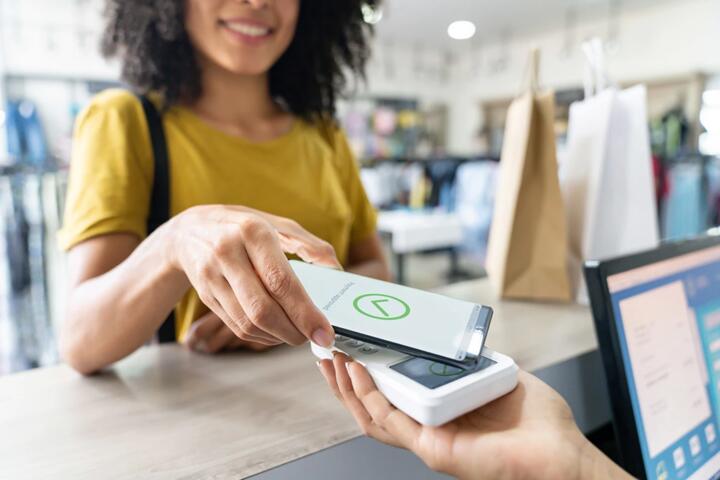
Tokenization In Tap Payments
Contactless payments replace the card number with a token during each transaction. Your card or phone still proves you have payment credentials, but the merchant and the payment terminal do not need to see the full primary account number (PAN). In many deployments, the token is specific to a device and a payment account, so the same “tap” does not automatically reveal the same raw card data every time.
In practice, tokenization happens after your device and the payment network complete an authorization flow. The token travels through the payment rails in place of the PAN, while the system uses cryptographic checks and account mapping to route the transaction to the correct issuer. If you have ever used a transit gate or a café contactless reader, the merchant’s terminal typically receives a tokenized credential plus transaction data, not your full card number.
Tokenization does not mean “no data leaves your device.” It means the data leaving is different, often less directly usable if intercepted. The exact token format and lifecycle depend on the token service provider, the wallet, and the card scheme rules, so you should treat tokenization as a risk-reduction mechanism rather than a guarantee of anonymity.
Common Misunderstandings And Dependencies
People often assume tokenization alone blocks fraud, but fraud prevention also depends on device authentication, transaction limits, and issuer-side controls. A token can still be used for unauthorized purchases if an attacker obtains the tokenized credential through device compromise or social engineering. That is why many systems combine tokenization with cryptographic signatures and risk scoring.
Another frequent misunderstanding is that the merchant never touches sensitive data. Merchants may still receive identifiers that can be linked to an account, such as a token reference, terminal data, and authorization results. The merchant’s acquiring bank and payment processor also handle transaction records, so the “no PAN” goal mainly reduces exposure of the raw card number, not all linkable metadata.
Tokenization relies on multiple supporting technologies. Near-field communication (NFC) handles the short-range exchange between your card or phone and the terminal. EMV contactless rules define how the terminal and card communicate and how cryptograms are generated. On the backend, token services map tokens to accounts and enforce token usage policies, while the issuer applies fraud checks and authorization rules.
Standards matter here. Payment tokenization in card ecosystems is commonly discussed alongside PCI DSS requirements for handling cardholder data, and token services aim to reduce the scope of systems that must protect PAN. The precise compliance boundaries depend on how the token service and merchant systems are configured, and those boundaries vary by implementation.
One practical aside: if you inspect a contactless transaction receipt, you may see a masked number like “•••• 1234,” but that masking is a presentation choice. The terminal and processor may still store token references and other fields that are not the same as the PAN.
How Tokenization Works Step By Step
During a tap, your device and the terminal exchange EMV contactless data. The device generates cryptographic proof tied to the transaction and the account credentials it holds. The terminal sends an authorization request to the acquirer, which forwards it through the payment network.
Instead of sending the PAN, the request includes a tokenized credential. The token service or network components use the token to identify the underlying account at the issuer. The issuer then evaluates the transaction using its normal authorization logic, which can include velocity checks, merchant category controls, and device or account risk signals.
After authorization, the transaction record is stored for settlement and reporting. Tokenization can reduce the exposure of raw card numbers in merchant and processor systems, but it does not remove the need for secure handling of tokens and related authentication data.
In some wallet designs, tokens can be device-bound and may rotate. Rotation and lifecycle policies reduce the value of stolen tokens, but they also mean support teams sometimes need more context than “the token is invalid” when troubleshooting.
Verify Your Device And Wallet Settings
Start with the basics that affect token use: confirm your phone’s wallet is protected with a screen lock and that you have not disabled security prompts. On iOS and Android, wallet apps typically require device authentication for adding cards and for certain payment actions, and those controls influence how easily an attacker can use tokenized credentials.
If you use a physical contactless card, check whether your issuer offers transaction alerts or spending notifications. Many issuers send push notifications after authorization, which helps you spot suspicious taps quickly, even when the tokenization layer reduces exposure of the PAN.
As a small practical detail, I’ve seen people leave “tap to pay” enabled on a spare phone without realizing it. That choice matters because tokenized credentials can remain usable on a device until the wallet removes them or the issuer revokes them.
Understand Limits And Merchant Behavior
Contactless systems often apply transaction limits and may require online authorization depending on amount, risk, or issuer policy. Tokenization does not remove these controls; it changes what credential is transmitted. If a terminal requests an online authorization and the issuer declines, the token does not “fix” the decline.
Merchant terminals also vary. Some readers support offline contactless modes for small amounts, while others always go online. Offline modes still use cryptographic checks, but the issuer’s ability to apply real-time risk decisions can differ.
Realistic outcome: a tokenized payment can still fail if the issuer blocks the merchant category, if the account is restricted, or if the terminal cannot complete the EMV flow. In those cases, you will see a decline even though tokenization is functioning correctly.
Use Safer Practices For Lost Or Stolen Devices
If your phone or contactless card is lost, act quickly. Remove the card from the wallet and contact the issuer to revoke tokenized credentials. Issuers and wallet providers can often disable token usage without waiting for a new physical card, but the exact process depends on the issuer and wallet.
Keep your issuer’s app and wallet app updated. I once checked a wallet app version on a test device (v17.2.1) and noticed the security settings page had changed wording; outdated apps can make it harder to find the right “remove card” or “lock device” controls.
When you report fraud, provide the transaction time, merchant name, and any authorization reference you can find. Tokenization can make the transaction record look different from a PAN-based record, so giving the issuer the right context speeds up investigation.
Know What Tokenization Does Not Cover
Tokenization reduces exposure of card numbers, but it does not prevent all forms of misuse. If an attacker gains access to your unlocked phone, they may use the wallet to authorize payments with tokenized credentials. If you share payment details through phishing, the attacker may still use the credentials you provided.
Tokenization also does not stop merchant-side errors. A merchant can still charge the wrong amount, process a duplicate transaction, or mishandle refunds. Those issues are separate from tokenization and depend on the merchant’s billing and settlement processes.
Finally, tokenization does not guarantee privacy from all parties. Payment networks and issuers can often link transactions to accounts, and token references can still be correlated for reporting and dispute handling.
Educational Case Examples
Case 1: Intercepted Tap Data
A commuter taps a contactless card at a station gate. A security researcher later analyzes captured network traffic from a test environment and finds that the authorization request contains a tokenized credential rather than a full PAN. The merchant’s terminal logs show a token reference and masked account details, while the issuer can still map the token to the correct account for authorization.
The lesson: tokenization reduces direct exposure of the raw card number in the merchant-facing path. The issuer still receives enough information to decide and settle the transaction, so tokenization does not remove the issuer’s ability to identify the account.
Case 2: Lost Phone With Wallet Still Active
A person misplaces a phone and notices the loss after several hours. The wallet app still shows the card as active, and the attacker attempts a tap at a retail terminal. The issuer may decline some attempts based on risk signals, but the attacker’s success depends on device access, wallet protections, and issuer rules.
The lesson: tokenization does not substitute for device security. Revoking tokens quickly after loss matters because token usage can remain possible until the wallet and issuer disable it.
Tokenization Checklist And Tradeoffs
| Decision Point | What Tokenization Changes | What It Does Not Change | What To Do |
|---|---|---|---|
| Merchant sees data | Merchant-facing systems receive a token reference instead of the PAN | Merchant still receives transaction metadata for processing and reporting | Review receipts and notifications for merchant name and amount |
| Stolen token risk | Tokens can be device-bound and may rotate | A compromised device can still authorize payments | Lock the device and remove cards from the wallet quickly |
| Authorization failures | Tokenization does not override issuer rules | Declines still occur for risk, limits, or account restrictions | Try another terminal or payment method and contact the issuer if repeated |
| Privacy expectations | PAN exposure is reduced in merchant-facing paths | Transactions can still be linked to accounts by issuers and networks | Limit sharing of wallet access and review account privacy settings |
Step-by-step checklist for safer use:
- Confirm your phone uses a strong screen lock and that the wallet requires authentication for payments.
- Turn on transaction alerts in your issuer app so you can react within minutes, not days.
- When traveling, check whether your issuer applies contactless limits or requires online authorization for certain regions.
- If a device is lost, revoke the wallet card and contact the issuer to disable token usage.
- For disputes, collect the time and merchant details; tokenized transactions may not show a full PAN in your records.
Common Mistakes That Break Trust
One mistake is treating tokenization as “no card data exists anywhere.” Token references, cryptograms, and transaction metadata still move through systems and must be protected. Claims that “nothing sensitive is transmitted” usually ignore how authorization and settlement work.
Another mistake is assuming every contactless payment uses the same tokenization model. Some flows rely on tokenization, others rely more heavily on EMV cryptograms and issuer-side verification, and the exact mix depends on the wallet, card scheme, and network routing.
People also overestimate what they can verify on their own. A consumer receipt rarely shows the token format or lifecycle. If you want evidence, rely on issuer disclosures, wallet documentation, and payment network technical summaries rather than screenshots from social posts.
Finally, avoid promotional explanations that skip the backend. If a description does not mention authorization mapping, cryptographic checks, or issuer controls, it usually describes only the surface behavior of a tap.
FAQ
Does tokenization replace the PAN every time?
In many contactless wallet and tokenized-card deployments, the authorization request uses a token instead of the PAN. Some systems may still involve PAN handling in specific backend or administrative contexts, so the exact behavior depends on the issuer and token service setup.
Can a merchant charge me using a token later?
Yes, merchants can submit follow-on transactions such as refunds or adjustments tied to the original authorization. The token and transaction identifiers help link those actions, and the issuer’s rules govern what is allowed.
What happens if the token expires?
If a token is expired or revoked, the issuer or token service will typically decline authorization. The wallet may refresh tokens automatically, but repeated failures usually require removing and re-adding the card or contacting the issuer.
Does tokenization stop all fraud?
No. Tokenization reduces PAN exposure, but fraud can still occur through compromised devices, stolen credentials, or social engineering. Issuers apply additional risk controls like velocity checks and device signals.
Is tokenization covered by PCI DSS?
PCI DSS applies to systems that store, process, or transmit cardholder data such as PAN. Tokenization designs aim to reduce PAN exposure and scope, but the exact compliance boundaries depend on how the token service and merchant systems are configured.
Author's Insight
Tokenization in contactless payments works as a credential substitution layer: the system routes authorization using a token rather than exposing the PAN to merchant-facing components. The security outcome depends on cryptographic proofs, device authentication, issuer controls, and token lifecycle policies, not on tokenization alone.
When evaluating claims about “security,” focus on what data is transmitted, who can map tokens to accounts, and how quickly tokens can be revoked after loss. Those details determine whether tokenization reduces risk in your specific scenario.
For practical decisions, treat contactless tokenization as a risk-reduction measure that complements strong device security and fast incident response.
Key Takeaways
- Contactless tokenization replaces the PAN with a token during authorization, reducing PAN exposure to merchant terminals.
- Tokenization does not remove the need for issuer authorization, cryptographic checks, or fraud controls.
- Device security and rapid revocation after loss often matter as much as tokenization.
- Receipts and consumer-facing records rarely show token details, so rely on issuer and wallet documentation for specifics.