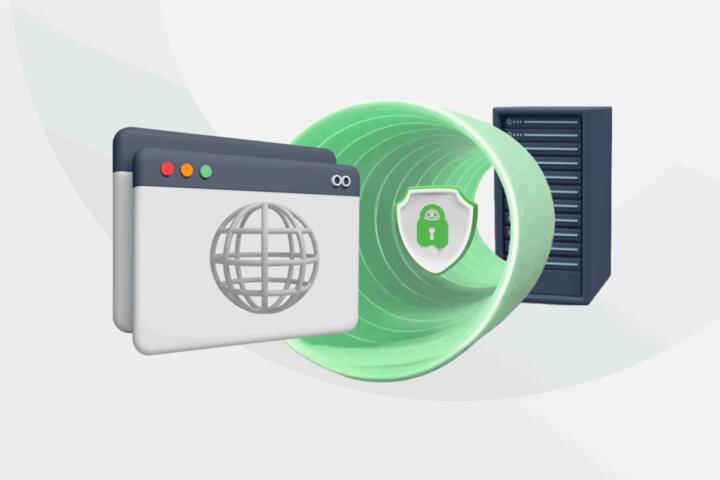
How HTTPS Builds Encryption
HTTPS is HTTP sent over TLS, which is the Transport Layer Security protocol. TLS encrypts data in transit and also helps your browser verify that it is talking to the intended server. In practice, you see this as a padlock icon plus a certificate chain that the browser can validate against trusted certificate authorities.
When you open a site like https://example.com, your browser starts a TLS handshake before it sends any HTTP request. During that handshake, the browser and server agree on cryptographic parameters, negotiate a shared session key, and confirm the server’s identity using certificates. After the handshake finishes, the browser sends HTTP requests through the encrypted channel, so intermediaries cannot read the content.
One detail that matters: TLS encryption does not automatically hide metadata like the domain name from the network layer in every setup. DNS lookups, SNI in the TLS ClientHello, and traffic patterns can still leak information depending on configuration. That is why HTTPS is a strong protection for content, but it does not equal full anonymity.
Common Pain Points And Misbeliefs
People often treat the padlock as a guarantee that everything is safe, but the padlock only reflects that the browser established a TLS session with a certificate it trusts. If the site is compromised, the TLS layer can still be “correct” while the application logic is malicious. Encryption protects the transport; it does not validate what the site does with your data.
Another frequent misunderstanding involves certificate trust. Browsers do not “know” every certificate; they rely on a chain of trust to root certificates stored in the browser. If a certificate is expired, revoked, or signed by an untrusted authority, the browser shows warnings because it cannot validate the chain.
Handshake failures also get misread. A site can be reachable over HTTPS yet fail for some users due to outdated client software, strict cipher suite policies, or middleboxes that interfere with TLS. I have seen this happen with older embedded browsers; a quick check of the browser’s TLS version support (for example, TLS 1.0 vs TLS 1.2) explains a lot, even when the certificate looks fine.
Finally, people sometimes assume HTTPS prevents tampering. TLS includes integrity checks, so attackers cannot silently alter the encrypted payload without detection. Still, if a user accepts a certificate warning or installs a rogue root certificate, the browser may treat an attacker as “trusted,” and the protection collapses in a way that looks like normal HTTPS.
What To Do For Safer HTTPS
Verify Certificates And Chains
Check the certificate details in your browser: issuer, validity dates, and the subject name matching the domain you visited. If the certificate is expired or the domain name does not match, the browser warning is not a cosmetic issue. For troubleshooting, you can inspect the chain using tools like OpenSSL (for example, openssl s_client -connect host:443 -servername host) and confirm whether the server presents the expected intermediate certificates.
A practical outcome: if the certificate is valid and the chain validates, the browser will complete the handshake and you will see consistent HTTPS behavior across pages on the same domain. If you see intermittent warnings, the server may be misconfigured, serving different certificate chains based on routing or load balancer settings.
Understand TLS Handshake Basics
During the handshake, the browser and server negotiate protocol version and cipher suites, then agree on keys for the session. Modern TLS deployments commonly use ephemeral key exchange (often ECDHE), which means session keys are not reused across connections. That design limits the impact of a later key compromise, though it does not protect against all forms of endpoint compromise.
If you want a concrete way to observe this, open your browser’s developer tools network panel and look for the “Protocol” and “Security” details. On some browsers, you can also view the negotiated TLS version and whether the connection used HTTP/2 or HTTP/3. I once compared two staging environments where one still offered TLS 1.0; the browser blocked it by policy, and the site “worked” only after the server was updated.
Use Strong Browser And OS Updates
Keep your browser and operating system updated so they support current TLS versions and reject weak configurations. Browsers gradually remove support for older TLS versions and weak cipher suites, which can break connections to misconfigured servers. A realistic expectation: after a major browser update, a server that still allows legacy TLS settings may fail for some users until the server is corrected.
If you manage a website, test with multiple clients. A quick matrix such as Chrome, Firefox, and Safari on current versions catches many handshake and certificate-chain issues before users do. If you manage a service behind a CDN or load balancer, confirm that the edge and origin configurations match, because mismatches can cause confusing certificate presentation.
Know What HTTPS Does Not Fix
HTTPS does not stop phishing, credential theft, or malicious scripts on a compromised site. It also does not encrypt traffic metadata in every scenario; DNS and some TLS handshake fields can still reveal information. If you need stronger privacy, you must look at DNS-over-HTTPS, encrypted DNS, and traffic analysis resistance, which go beyond basic HTTPS.
Also note that HTTPS can be “present” while still failing to protect specific content types if the application sends sensitive data to third parties or logs it insecurely. Transport encryption is only one layer in the chain of protections.
Case Examples For Real Scenarios
Expired Certificate On A Subdomain
A small clinic website loads the main page over HTTPS, but the appointment form fails with a certificate warning. The clinic later discovers that the form is hosted on a different subdomain with a separate certificate renewal schedule. The browser blocks the TLS handshake for that subdomain, so the form cannot load.
The fix involves renewing the certificate for the specific subdomain and confirming that the server presents the full chain. After renewal, the clinic tests the form in two browsers and verifies that the certificate name matches the subdomain exactly.
Misconfigured Chain Behind A Load Balancer
An e-commerce site shows a padlock in some regions but not others. The team finds that the load balancer sometimes serves only the leaf certificate and omits the intermediate certificate. Some clients can still build a chain using cached intermediates, so the issue appears inconsistent.
The resolution is to configure the load balancer to send the complete certificate chain. After the change, the team validates with OpenSSL from multiple networks and checks that the browser consistently completes the handshake without warnings.
HTTPS Checklist And Tradeoffs
| Goal | What HTTPS Helps | What It Does Not Fix | How To Check |
|---|---|---|---|
| Protect content in transit | Encrypts HTTP payloads and adds integrity checks | Does not stop malicious code on the server | Confirm TLS padlock and valid certificate chain |
| Verify server identity | Uses certificates signed by trusted authorities | Does not validate application behavior | Inspect issuer and subject name match |
| Reduce passive eavesdropping | Prevents reading encrypted traffic contents | May still leak metadata like SNI and traffic timing | Review browser security details and DNS settings |
| Detect tampering | Integrity checks detect modified ciphertext | Does not stop endpoint compromise | Avoid accepting certificate warnings |
Step-by-step checklist for a user who wants to sanity-check a connection:
- Open the site and confirm the certificate warning is absent.
- Click the certificate details and verify the domain name matches the address bar host.
- Check the certificate validity dates for “Not Before” and “Not After.”
- On a sensitive action page, confirm the connection stays HTTPS across the form submission.
- If something fails, test from another network and another browser to separate local issues from server misconfiguration.
Common Mistakes That Break Trust
One mistake is accepting certificate warnings to “get it working.” That action can train users to ignore real identity failures, and it can expose them to man-in-the-middle attacks if a rogue certificate is involved. Browsers warn because the chain validation failed, not because the site is “almost correct.”
Another mistake is assuming that HTTPS on the homepage covers every resource. Mixed content rules block many insecure subresources, but misconfigurations still happen, especially with legacy scripts or embedded frames. A careful check in developer tools can reveal whether the page loads all scripts and form endpoints over HTTPS.
People also misread the meaning of “valid certificate” when the domain is correct but the certificate is issued for a different hostname. Name mismatch triggers warnings, and ignoring them breaks the identity guarantee TLS is designed to give. I have seen teams fix the certificate dates but forget to correct the subject alternative names, which keeps the warning alive.
Finally, organizations sometimes rely on a single test environment. A staging server might have a correct chain while production serves an incomplete chain due to load balancer configuration differences. Testing from multiple networks and checking the full presented chain catches this class of issue.
FAQ
What Happens During The TLS Handshake?
The browser and server negotiate TLS version and cipher suites, validate the server certificate, and agree on session keys. After that, HTTP requests and responses travel inside encrypted records.
Why Do Some Sites Show A Certificate Warning?
Warnings appear when the certificate chain cannot be validated, the certificate is expired, the hostname does not match, or revocation checks fail depending on browser policy.
Does HTTPS Stop Hackers From Reading Data?
HTTPS prevents passive eavesdroppers on the network path from reading encrypted payloads. It does not protect against malware on your device or malicious behavior by the site itself.
Can HTTPS Still Leak Metadata?
Yes. DNS lookups and some TLS handshake fields can reveal information, and traffic timing patterns can still be observed. The exact leakage depends on DNS configuration and TLS features.
What Is The Difference Between HTTP And HTTPS?
HTTP sends data without transport encryption. HTTPS wraps HTTP inside TLS, adding encryption and integrity checks plus server identity validation via certificates.
Author's Insight
HTTPS works because TLS defines a handshake that negotiates keys and validates the server’s certificate chain against trusted roots in the browser. Encryption protects the transport layer, while application security still depends on server-side code, authentication, and safe handling of user inputs. Certificate warnings signal identity validation failures, and ignoring them removes the main trust benefit TLS offers. If you want to troubleshoot, inspect the presented certificate chain and the negotiated TLS version in browser developer tools; those two checks explain many real-world failures.
Key Takeaways
- HTTPS encrypts HTTP traffic using TLS and adds integrity checks, but it does not guarantee the website is safe.
- The padlock reflects successful certificate validation and handshake completion, not protection against phishing or server compromise.
- Certificate chain correctness, hostname matching, and TLS version support drive most connection warnings and failures.
- Metadata can still leak through DNS and handshake fields, so HTTPS is not the same as full anonymity.
- For troubleshooting, verify certificate details and test across browsers and networks to separate local issues from server misconfiguration.