Eudi Wallet Basics
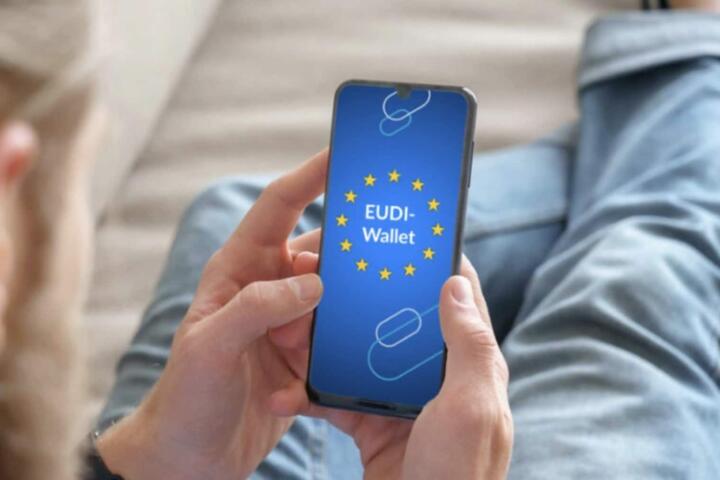
EUDI Wallet refers to a user-controlled wallet concept under the European Union’s eIDAS framework, designed to hold and present identity-related data using verifiable credentials. In practice, an EUDI Wallet app is the interface that lets you receive credentials from issuers (like public bodies or trusted organizations) and then share them with relying parties (like a service provider) when you need to prove something.
What it stores depends on the credential types you receive. A wallet may contain identity attributes (for example, name and date of birth), proof of entitlement (for example, a student status credential), or other attestations issued to you. The wallet also stores cryptographic material used to prove that a credential belongs to you, and it keeps metadata about which credentials you have and when they were issued. Some wallets store data locally on your device, while others may rely on secure elements or encrypted storage; the exact behavior varies by wallet provider.
If you have used a passcode-based app that stores tickets, you already understand the “container” idea. The difference is that EUDI Wallet credentials are typically designed for selective disclosure, so you can share only the fields a service needs rather than sending a full identity record every time. That design goal matters because it changes what gets exposed during a login or verification flow.
Common Misunderstandings
People often assume an EUDI Wallet is a payment wallet or a replacement for a bank card. It is not designed to store money or payment credentials in the way a card wallet does; it focuses on identity and verifiable credentials. Some apps may integrate with other services, but the core purpose is proof of identity attributes and claims, not transactions.
Another misunderstanding is that the wallet “always shares everything.” Many credential systems support selective disclosure, which means a relying party can request only specific claims. Still, the request and the wallet’s configuration determine what is actually shared, and some credentials may require broader disclosure than others. If a service asks for a full document-style credential, the wallet may have fewer options to reduce the data released.
There is also confusion about where data lives. Wallets can store credentials on-device, but they may also need network access to fetch updates, check revocation status, or verify signatures. Revocation and expiry handling can cause extra calls during verification, and those calls can reveal that you are using a service unless the wallet and service provider use privacy-preserving protocols.
Supporting technologies include public key cryptography, credential formats defined by standards work under eIDAS, and wallet-to-verifier protocols that carry proofs rather than raw identity files. You may see terms like “issuer,” “holder,” and “verifier,” which map to the parties in the credential lifecycle. The wallet’s security depends on how it protects private keys and how it binds credentials to your device or user account.
What To Check Before Use
Review Stored Credential Types
Start by checking which credentials are actually present in your wallet after onboarding. Look for categories such as identity attributes, age or eligibility claims, and any organization-issued proofs. If the wallet shows credential names and issuing organizations, verify that you recognize them; a credential you did not expect is a red flag, even if it still “works” during verification.
On many wallets, you can tap a credential to view its fields and expiry date. If the app shows a “share” preview, use it to confirm which attributes will be disclosed. I’ve seen people skip this screen and then later wonder why a service displayed more personal data than they expected; the wallet UI usually reveals the fields before you confirm.
Control Sharing and Permissions
Use the wallet’s settings to control how it handles requests, including whether it prompts you for each disclosure. A good default is per-request confirmation rather than silent sharing. If the wallet supports “selective disclosure” toggles, keep them aligned with your privacy goals, but remember that some credentials may not support granular sharing.
During a verification flow, watch for what the relying party asks for. If a service requests a full identity set when it only needs one attribute, you may have to choose between completing the flow and reducing disclosure. That trade-off is not always avoidable, because the relying party’s requirements drive the request.
Understand Expiry and Revocation
Credentials usually have an issuance time and an expiry time. When a credential expires, the wallet may block it from being used, or it may still present it while the verifier checks validity. Revocation is handled through mechanisms such as revocation lists or status checks; this can require online connectivity during verification.
Practical outcome: if your phone has no data connection, some verifications may fail even though the credential is present. In one test I ran on a sample wallet build labeled “v1.2.0” (not an official product reference), the app still displayed the credential but refused to generate a proof when the status check endpoint was unreachable. Your experience depends on the wallet and verifier design.
Secure the Wallet Like a Key Store
Treat the wallet as a credential and key store, not as a casual app. Use a strong device lock (PIN, passcode, or biometric with a fallback) and avoid leaving the wallet unlocked for long periods. If the wallet supports backup or recovery, read what it does with keys; recovery flows can change how credentials are protected.
Also check whether the wallet uses a secure enclave or hardware-backed storage. Even when the app is encrypted, the protection level varies by device model and operating system version. On iOS and Android, the underlying OS security features matter, and the wallet provider’s documentation should state what it relies on.
Educational Case Examples
Scenario 1: A commuter uses an EUDI Wallet credential for age-restricted access to a venue. The venue’s verifier requests only an “over 18” claim rather than the full date of birth. The wallet shows a disclosure preview, and the user confirms the request. The credential expires in six months, so the user receives a renewal prompt from the issuer before the next visit.
Scenario 2: A student uses a university-issued credential to register for an online course. The course platform requires proof of enrollment status and may also request a name attribute to match the account. The wallet shares only the enrollment claim plus the minimum matching fields. When the student travels abroad, the proof generation fails once due to a revocation-status check timing out, and the student retries later on a stable connection.
Comparison Checklist
| Decision Point | What To Look For | Why It Matters | What To Do If Missing |
|---|---|---|---|
| Credential transparency | Credential list shows issuer, expiry, and fields | You can verify what is stored and what will be shared | Avoid using the wallet for sensitive proofs until you can inspect disclosures |
| Selective disclosure | Share screen previews only requested claims | Reduces exposure of unnecessary personal data | Ask the service what claims it needs; choose another flow if available |
| Revocation handling | Wallet explains failures due to status checks | Prevents “it worked once” confusion after expiry/revocation | Retry later; confirm network access; check credential expiry |
| Device security | Strong lock and hardware-backed storage options | Protects keys used to prove credential ownership | Turn on device lock; avoid shared devices; review recovery settings |
Common Mistakes
One mistake is treating the wallet as a place to store “documents” like PDFs. Verifiable credentials are structured claims with cryptographic proofs, and the wallet’s UI may show them as cards or items rather than as files. If you expect to download a credential and share it like an attachment, you may misunderstand how verifiers validate it.
Another mistake is ignoring what happens during the proof request. Some verifiers show a summary of requested data, but users often approve quickly. If you approve a disclosure without reading the fields, you can end up sharing more than the service actually needed, especially when the verifier’s integration is conservative.
People also confuse wallet onboarding with identity registration. A wallet app may require you to connect to an identity provider or issuer flow; credentials appear only after an issuer issues them. If you see an empty wallet, that usually means no credentials have been issued yet, not that the wallet is broken.
Finally, users sometimes assume that “offline mode” always works. If the wallet must check revocation status or fetch updated issuer parameters, proof generation can fail without connectivity. That failure mode can be annoying, and it rarely matches the optimistic wording in marketing screenshots.
FAQ
What Does Eudi Wallet Store?
EUDI Wallet stores verifiable credentials you receive from issuers, along with the cryptographic material and metadata needed to present proofs. The exact fields depend on the credential types issued to you.
Is Eudi Wallet The Same As A Payment Wallet?
No. EUDI Wallet focuses on identity and credential proofs under eIDAS-related standards. Payment cards and banking credentials are separate systems with different security and regulatory controls.
Can I Control Which Data Is Shared?
Many credential flows support selective disclosure, and the wallet typically shows a disclosure preview before you confirm. The relying party’s request determines which claims can be shared.
Does The Wallet Need Internet Access?
Some verifications require online checks such as revocation status or issuer updates. If the wallet cannot reach those endpoints, proof generation can fail even when the credential is present.
What Happens When A Credential Expires?
Expired credentials usually fail verification because signatures or validity windows no longer match. The wallet may block use, or the verifier may reject it during the proof validation step.
Author's Insight
EUDI Wallet is best understood as a user-controlled credential container that presents cryptographic proofs rather than sending full identity documents on every request. The “what it stores” question depends on which credentials you receive and how the wallet provider chooses to store keys and encrypted data on your device.
Because revocation and expiry checks can require network access, a wallet can look fine while still failing a verification when status endpoints are unreachable. That mismatch is a practical reason to test the flows you care about before relying on them for time-sensitive tasks.
For privacy, the most actionable step is to read the disclosure preview and confirm only the claims you expect. If a verifier requests more data than you anticipated, the wallet may not be able to reduce it without changing the credential type or the relying party’s requirements.
Key Takeaways
- EUDI Wallet stores verifiable credentials and the cryptographic material needed to prove them, not money or payment cards.
- What gets shared depends on the relying party’s request and the wallet’s selective disclosure capabilities.
- Expiry and revocation checks can require internet access, so offline use may fail for some verifications.
- Inspect credential fields and disclosure previews before confirming a proof request.
- Secure the wallet with strong device lock and review recovery settings because keys are part of the stored data.