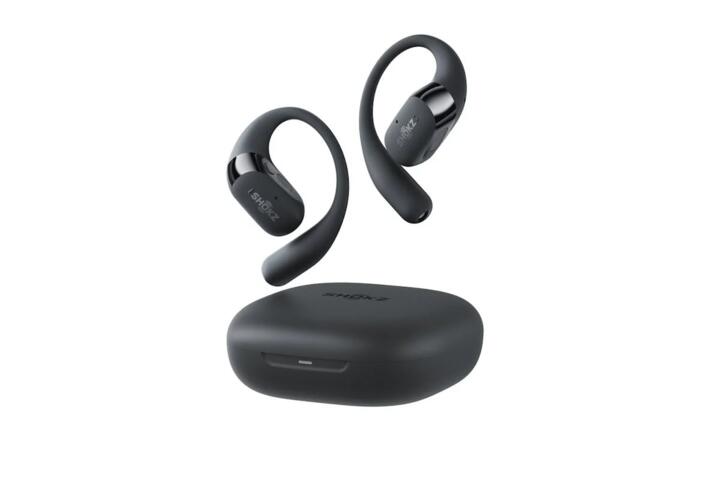
Wired Vs Wireless Earbuds
Wired earbuds carry an audio signal through a physical cable, while wireless earbuds use a radio link (usually Bluetooth) to send audio from a phone, laptop, or dedicated transmitter. The wired path tends to be simpler: the device’s headphone output drives the earbuds directly, and the cable adds little processing beyond shielding. Wireless earbuds add radio transmission, decoding, and often active noise control, which changes latency, battery use, and troubleshooting steps.
Practical examples help. During video calls, wired earbuds often deliver consistent audio timing because there is no Bluetooth buffering. During commuting, wireless earbuds remove cable snagging, but they can drop audio when the phone is in a weak-signal pocket or when your body blocks the antenna. For workouts, wired earbuds can stay stable without pairing issues, while wireless models may offer better sweat resistance and easier motion—if the fit holds.
Problems And Pain Points
People often compare wired and wireless earbuds using only “sound quality,” then ignore the dependencies that shape what you actually hear. Wired audio depends on the source’s headphone output power, the earbud’s sensitivity, and the cable’s electrical characteristics. Wireless audio depends on Bluetooth version, codec support, radio conditions, and the earbud’s internal amplifier and DSP settings.
One common mistake is assuming wireless always sounds worse. In practice, Bluetooth codecs and the earbud’s tuning can produce excellent results, but the codec and bit rate matter. Another mistake is assuming wired always sounds better. If the phone’s headphone output is weak or the earbuds are low-sensitivity, the sound can become thin or distorted at the volume you can tolerate.
Latency is another pain point that shows up in specific tasks. Wireless earbuds can introduce delay between video and audio because the audio must be encoded, transmitted, decoded, and buffered. Some earbuds support low-latency modes, but those modes can change audio quality or disable certain features. Wired earbuds avoid this buffering path, so lip-sync tends to be more consistent.
How To Choose What Fits
Match Your Source And Use
Start with your device connections. Wired earbuds need a compatible output: a 3.5 mm jack, a USB-C audio path, or a Lightning adapter on supported devices. If you use an adapter, check whether it supports audio output and whether it stays stable when charging the phone. A practical aside: some USB-C dongles behave differently when the phone is on a low-power mode, which can change volume steps and noise floor.
For wireless, check Bluetooth support and codec options in the earbud’s documentation or app. Many phones support Bluetooth audio profiles, but codec support varies by model and OS version. If you care about calls, look for microphones and noise reduction features rather than only “HD audio” marketing terms. For gaming or watching video, prioritize low-latency modes and test lip-sync with your actual apps.
Check Fit, Seal, And Comfort
Fit affects sound more than most spec sheets. Ear tips should seal without pain, and the seal should stay stable when you talk, chew, or move your head. If the seal breaks, bass drops and you compensate by raising volume. That pattern matters for hearing safety because louder volume plus reduced isolation increases exposure.
Use a simple test: play a track with steady low-frequency content and adjust tips until the bass level feels consistent. If you have multiple tip sizes, try them in the same session so you can compare. A mild frustration many people hit: they choose a tip size that feels fine at first, then it loosens after 20 minutes and the sound changes.
For wired earbuds, cable comfort matters too. A cable that pulls on the ear can cause fatigue, and fatigue often leads to higher volume because you “turn it up to hear through discomfort.” For wireless earbuds, check whether the housing presses on the ear canal entrance and whether the weight causes soreness during long listening.
Compare Latency And Call Quality
Latency depends on the whole chain, not only the earbud. Wireless audio includes encoding and decoding, and some phones add additional buffering for Bluetooth audio. If you watch video on a laptop, test with the same player you use, since browser audio paths can differ. Wired audio usually stays consistent because the signal path is direct.
Call quality depends on microphones, wind handling, and how the earbud separates your voice from background noise. In real environments, wind and street noise can overwhelm the mic even when the earbud claims noise reduction. If you take calls outdoors, test in a noisy place and check whether the other person hears you clearly at normal speaking volume.
For wireless earbuds, check whether they support multipoint or quick switching. Multipoint can reduce friction when switching between a phone and a laptop, but it can also create confusion if the earbud switches audio unexpectedly. A small aside from common troubleshooting: after updating an OS, some earbuds briefly mis-handle multipoint until you reselect the audio output in the device settings.
Case Examples For Real Use
Scenario 1: Commuter with frequent calls. A person rides a train and takes calls in stations. They choose wired earbuds for the first week to avoid Bluetooth dropouts in crowded cars. Calls sound consistent, but the cable tugs while they walk, and they start leaving the earbuds behind more often. They switch to wireless earbuds with a strong seal and test call clarity in the same station; the audio becomes more convenient, but they learn to keep the phone within arm’s reach to reduce cutouts.
Scenario 2: Gym sessions with sweat exposure. Another person uses earbuds during cardio and strength training. They start with wired earbuds and notice the cable rubs against clothing, creating intermittent micro-disconnects at the connector. They move to wireless earbuds and focus on tip fit and stability during head movement. Sound stays consistent when the seal holds, but when they use a loose tip size, bass drops and they raise volume to compensate, which they later correct by changing tips.
Comparison Checklist
| Decision Factor | Wired Earbuds | Wireless Earbuds | What To Check |
|---|---|---|---|
| Latency | Usually consistent for video | Can add delay from buffering | Test lip-sync in your apps |
| Connection Stability | Stable if cable stays seated | Drops can happen with weak signal | Phone placement and pairing history |
| Battery / Charging | No earbud battery | Case and earbuds need charging | Rated runtime and charging speed |
| Noise Isolation | Passive seal depends on tips | Passive + active noise control | Tip fit and ANC behavior in noise |
| Device Compatibility | Needs correct port or adapter | Needs Bluetooth pairing | Adapter support and codec support |
| Failure Modes | Cable strain and connector wear | Battery aging and pairing glitches | Warranty terms and return policy |
- Pick the use case first: calls, commuting, workouts, or video playback.
- For wired: confirm your device output type and test with your exact adapter if needed.
- For wireless: confirm codec support and test in the signal conditions you face daily.
- Fit-test both types for 15–20 minutes, then re-check bass and comfort.
- Set a volume limit on your phone and verify it stays consistent after switching devices.
Common Mistakes To Avoid
Buying based on “wireless range” claims can mislead. Real-world range depends on obstacles, interference, and antenna placement, so a number on a box rarely predicts your commute. Another mistake is ignoring the ear tip seal and then blaming the earbud tuning for weak bass.
People also skip adapter checks. A USB-C to 3.5 mm adapter that works for music may behave differently during charging, and some adapters introduce noise or reduce maximum volume. If you use a dongle, test it with the same charging setup you use at home.
Wireless users often troubleshoot the wrong layer. They blame the earbud when the issue is actually the phone’s audio routing, a stale Bluetooth profile, or a multipoint switch. A quick fix that sometimes works: remove the earbud from the Bluetooth device list, restart the phone, then pair again—this can clear corrupted pairing state.
FAQ
Do Wired Earbuds Have Less Delay?
Wired earbuds usually avoid Bluetooth buffering, so lip-sync tends to be more consistent for video. Wireless earbuds can still be low-latency, but the delay depends on codec, device, and app buffering.
Which Type Works Better For Calls?
Call quality depends on microphone design, wind handling, and noise reduction, not the cable versus Bluetooth alone. Test in your typical environment because street noise and wind can overwhelm both types.
Do Wireless Earbuds Reduce Hearing Risk?
They can help if noise isolation reduces background masking, letting you keep volume lower. They can also increase risk if you raise volume after a poor seal or after a loudness jump during device switching.
Why Do Wireless Earbuds Cut Out?
Cutouts often come from weak signal, interference, or the phone switching audio routing. Phone placement, obstacles, and multipoint behavior can trigger dropouts even when the earbud is functioning normally.
Are Adapters A Problem With Wired?
Adapters can add failure points and sometimes change noise floor or maximum volume. If your phone lacks a headphone jack, test the exact adapter with your daily charging setup.
Author's Insight
Wired versus wireless is less about “sound quality” and more about signal path and constraints. Wired audio typically offers consistent timing and fewer radio-related dropouts, while wireless adds codec and buffering behavior that affects latency and troubleshooting. Fit and seal dominate perceived bass for both types, so comfort checks matter as much as spec sheets. For hearing safety, the practical lever is volume behavior over time, which changes with noise isolation, loudness jumps, and device switching.
If you want a quick decision, test the earbuds in the exact situations you care about: a call in noise, a commute with your phone in its usual pocket, and a 20-minute listening session to confirm the seal holds.
Key Takeaways
- Wired earbuds usually deliver more consistent timing for video because they avoid Bluetooth buffering.
- Wireless earbuds trade convenience for battery management and potential latency or cutouts tied to radio conditions.
- Ear tip seal and comfort drive bass and perceived loudness, which affects hearing safety more than the connection type.
- Adapters and Bluetooth routing are frequent hidden causes of problems, so test with your real charging and device setup.
- Use volume limits and watch for loudness jumps after switching devices or ANC modes.